
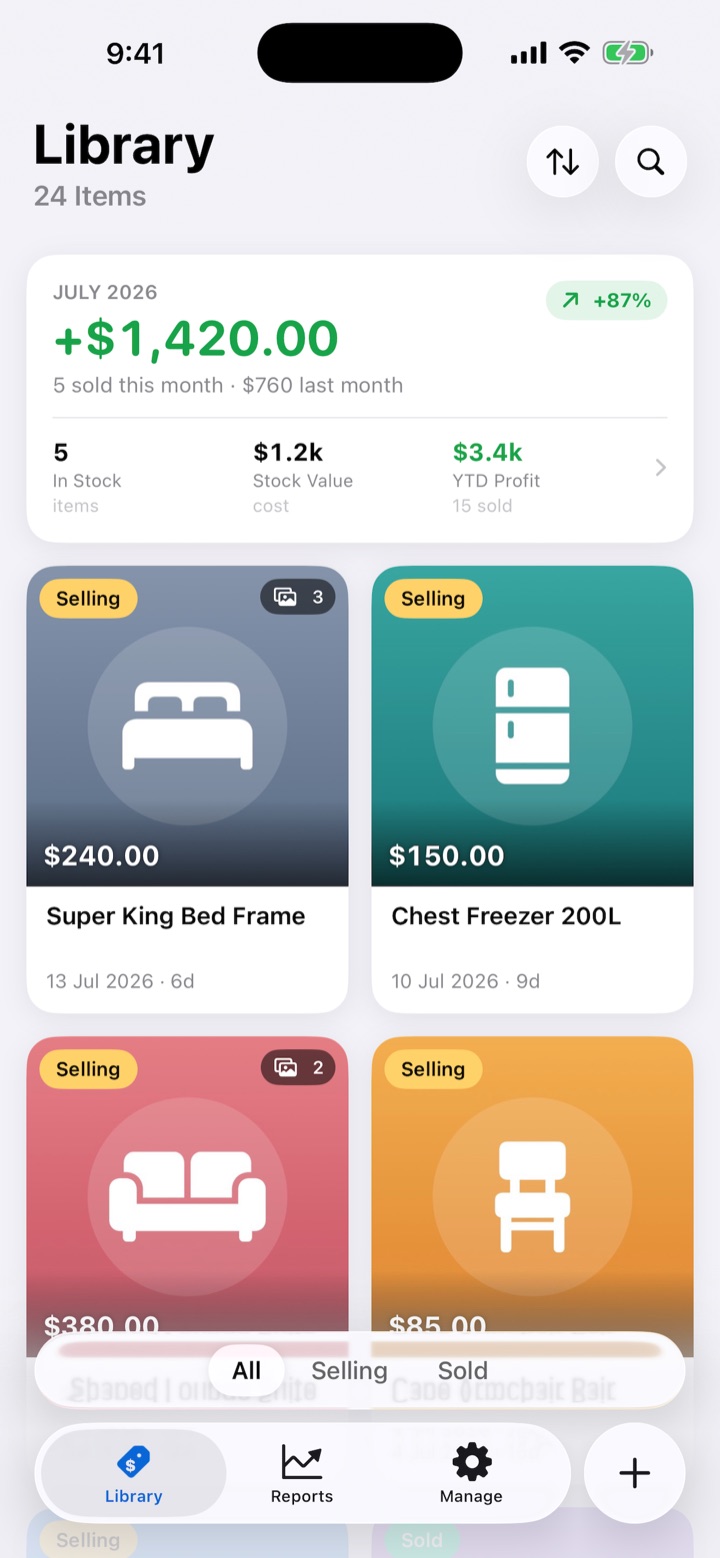
Track every item
Photos, costs, fees and platforms for everything you buy — searchable and sortable.
Mark it sold
One tap records the sale with a live profit preview — after every fee.
Know your numbers
Monthly summaries, growth charts, top products and sell-through — all tappable.
Private by design
Everything syncs through your own iCloud. No account, no ads, no tracking.
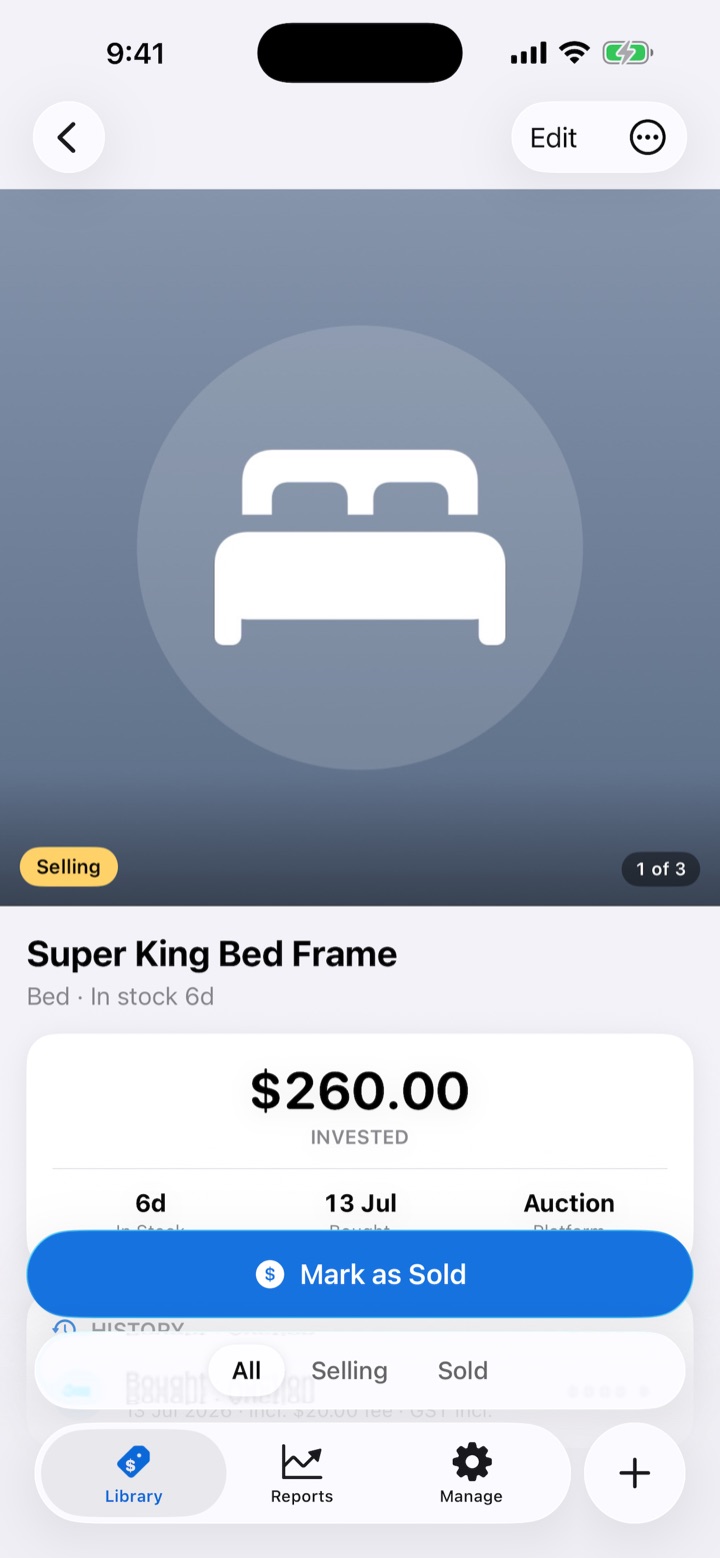
From “in stock” to “sold” in one tap
Open an item, tap Mark as Sold, type the price — SoldFor shows the profit you'll clear before you confirm, with platform fees and extra costs accounted for.
- Live profit preview as you type
- Sale platform, fees and GST recorded per sale
- Status flips to Sold automatically
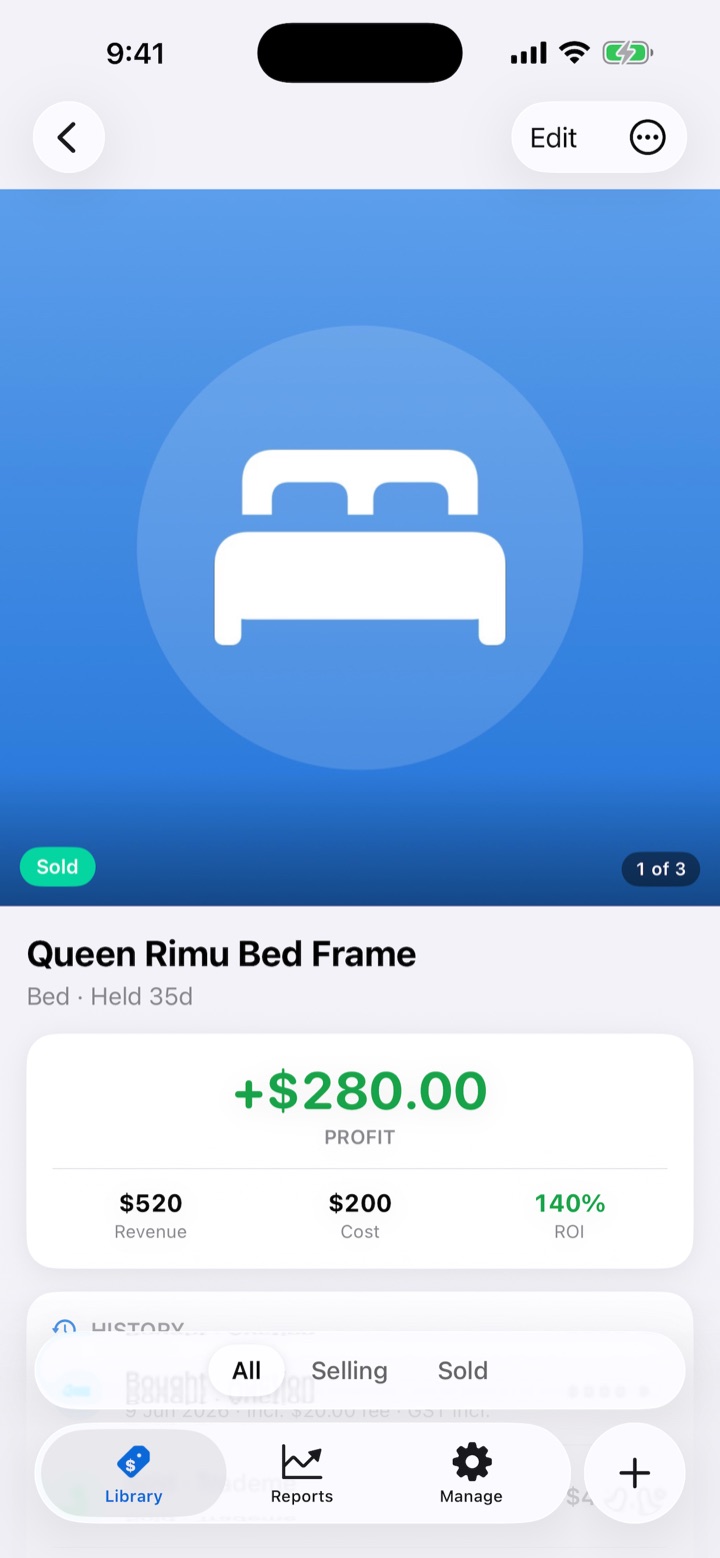
Know exactly what you made
Every sold item tells its money story: revenue, cost, profit and ROI up top, then a full history ledger — what you paid, what it sold for, and every fee along the way.
- Profit and ROI at a glance
- Complete buy → sell ledger per item
- Items can be sold across multiple sales
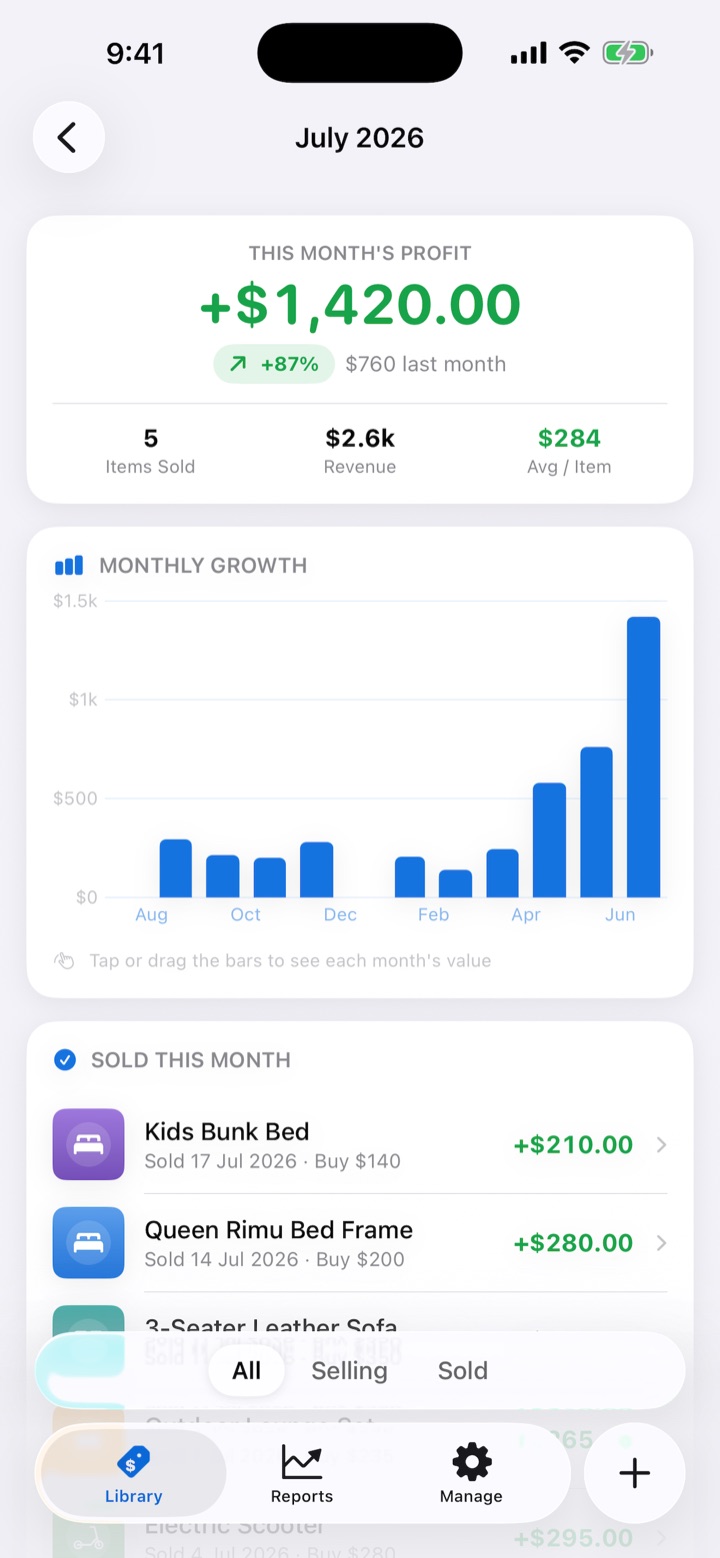
Your month, in full
Tap the summary card anywhere and get the whole picture: this month's profit against last month, a 12-month growth chart, every item sold this month, and where your stock stands.
- Month-over-month growth at a glance
- Every sale this month, one tap from its details
- Stock value, YTD and all-time profit
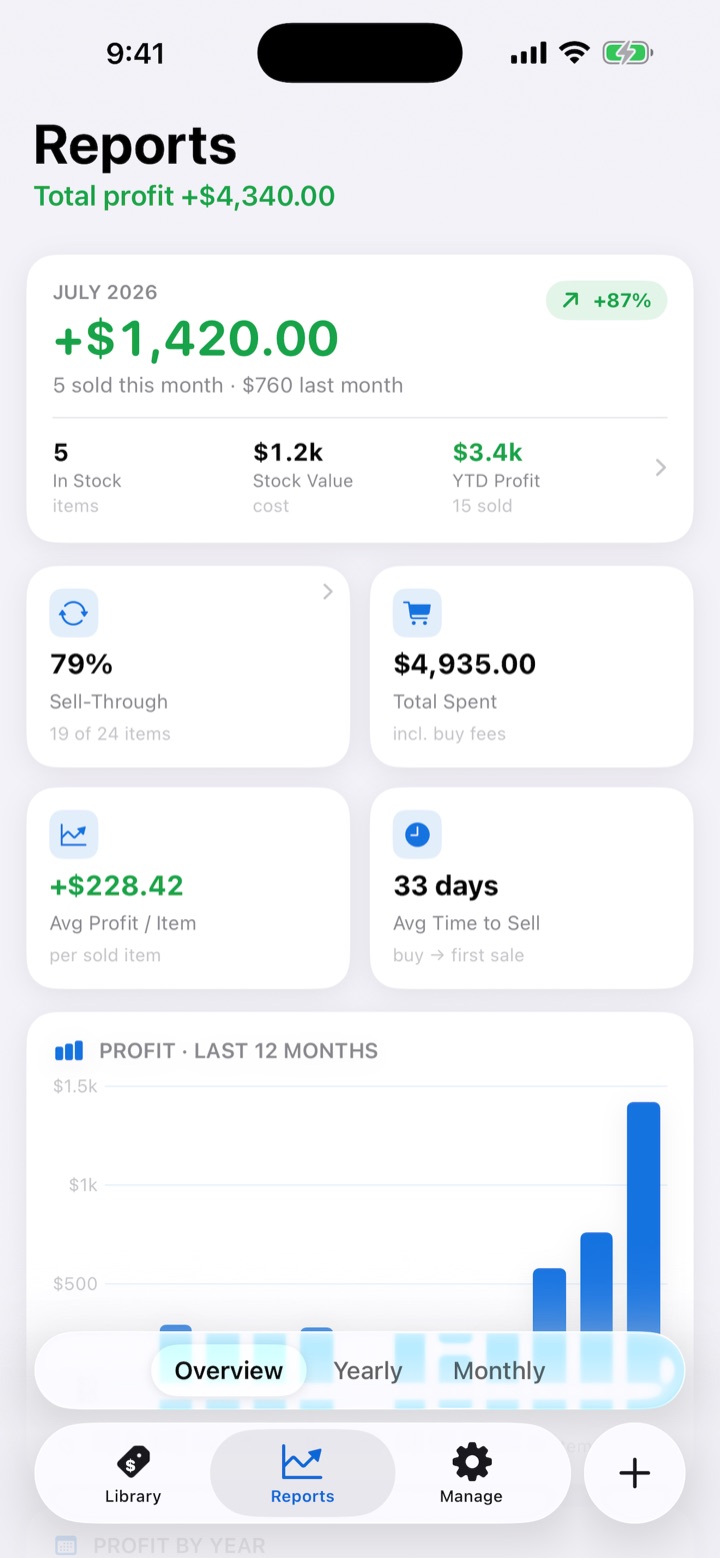
Reports that answer real questions
Sell-through rate, average profit per item, time to sell, profit by month, year and category, top products — and every chart bar taps through to the exact items behind the number.
- Overview, yearly and monthly scopes
- Tap any bar to see its items
- GST flags recorded for tax time
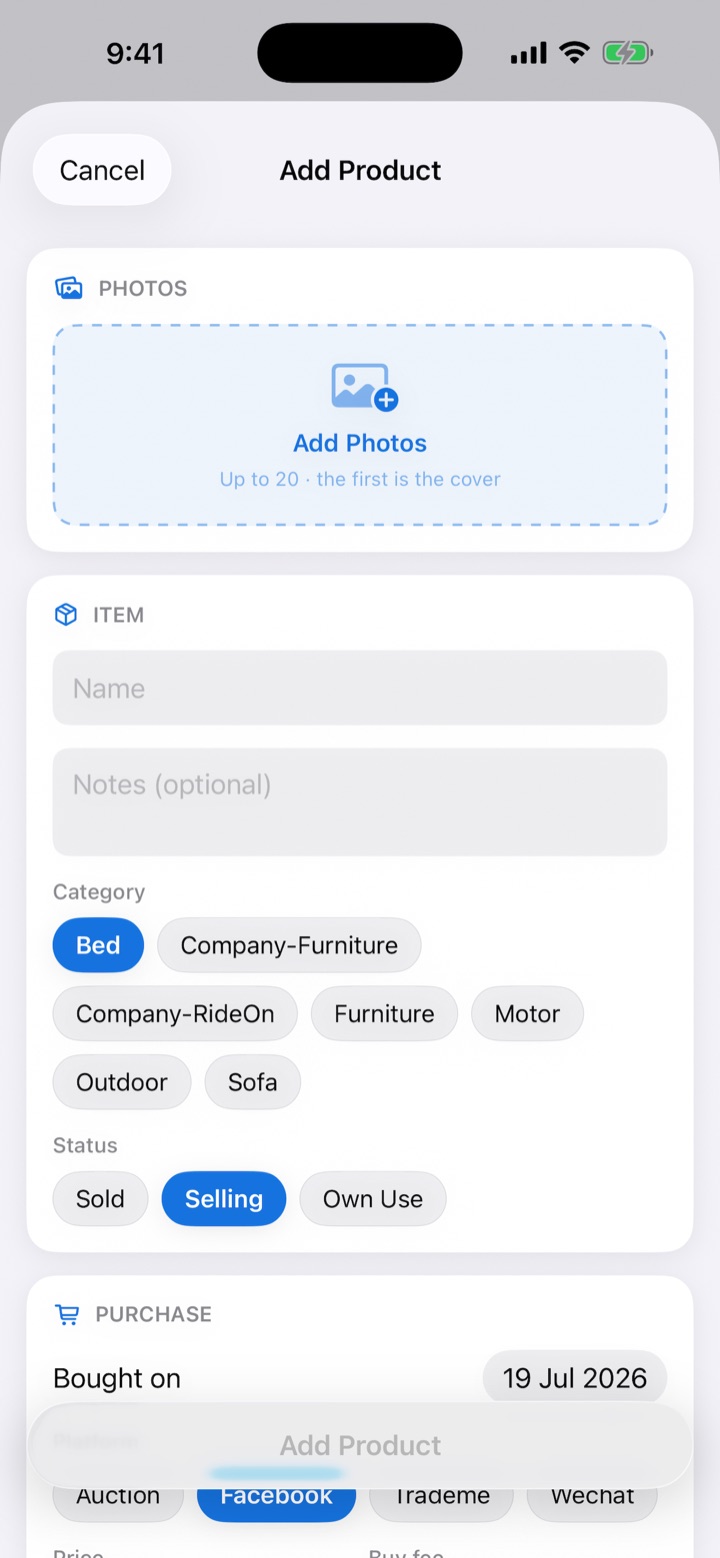
Add items in seconds
Name, price, a couple of taps for category and platform, photos straight from your library — up to 20 per item, downloaded from iCloud in the background while you keep typing.
- Up to 20 photos per item, first is the cover
- Buy fees and GST captured at purchase
- Record a same-day sale right on the form
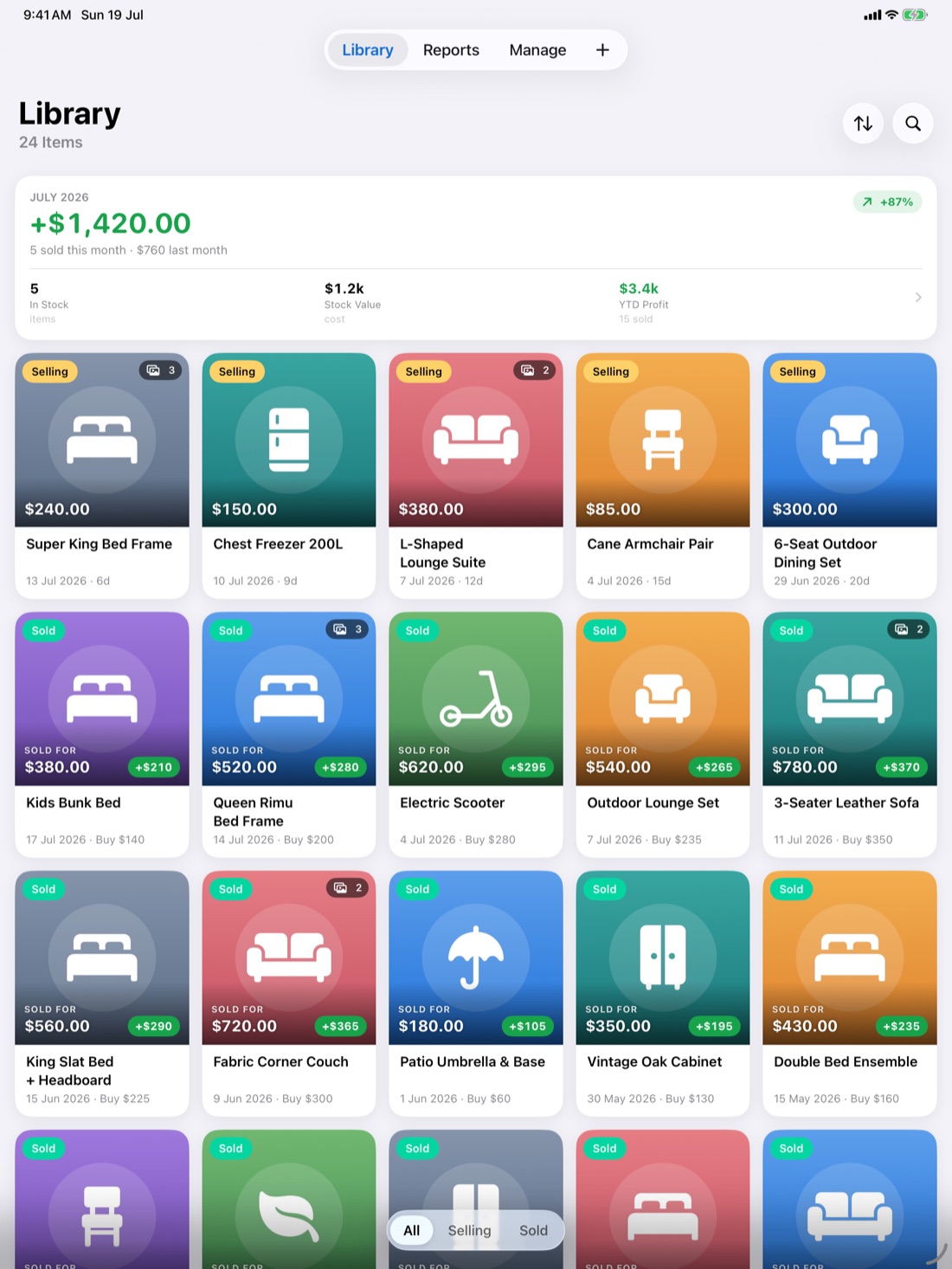
Made for iPad too
The same library, reports and summaries — spread out across the big screen. One purchase, every device, always in sync.
Your business is nobody's business
SoldFor collects nothing. Your items, prices and photos live on your devices and in your personal iCloud — the developer can't see them, and no one else can either.
No accounts
Nothing to sign up for. Open the app and start tracking.
Your iCloud only
Sync uses Apple's private CloudKit database under your Apple ID.
No tracking
No analytics, no ads, no third-party code. Ever.
Support
Questions, feedback or trouble with SoldFor? We'll get back to you promptly.
📮 yuan@633933.xyz